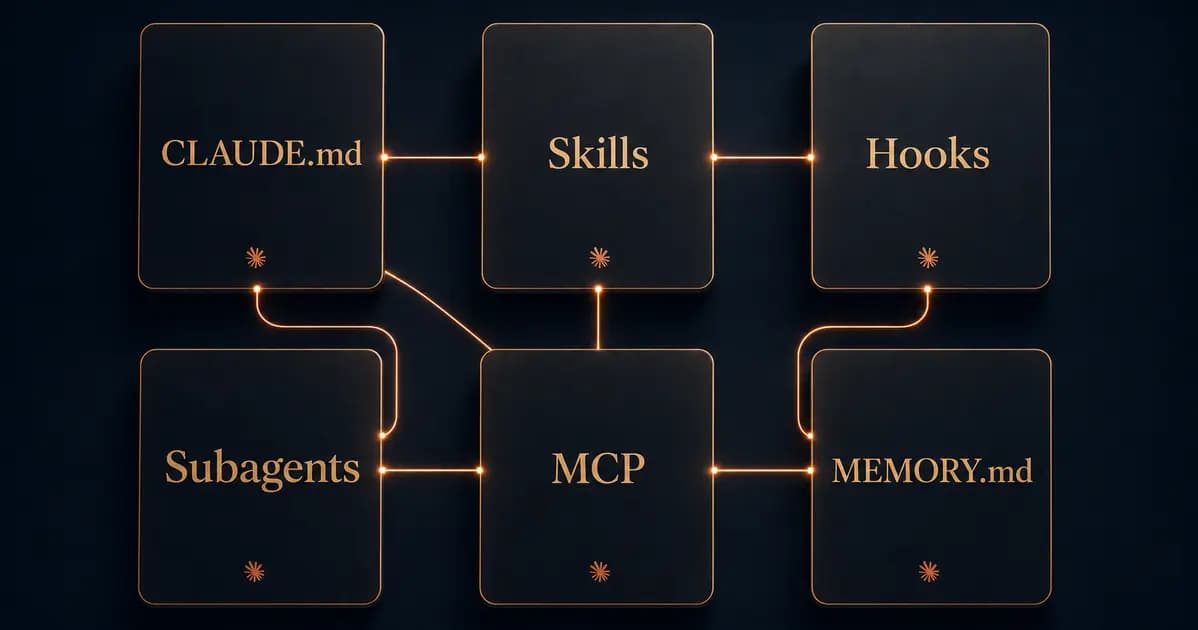
Whenever we tell people we work with Claude all day, the same question comes back: "Which app is that -- Claude.ai or the API?" Most people only know the chat window. And that is where the misunderstanding starts.
Claude Code is not a chatbot. It is an AI assistant that runs on your computer, reads your files, executes commands and -- here is the real trick -- can set itself up almost entirely. You only have to tell it what you need. It writes the configuration files, wires up the workflows, connects to your tools. The only catch: you have to know which words to use.
That is what this article is about. No tutorial with thirty screenshots. No tech jargon. Six terms you need to hear once. Claude handles the rest.
Why this matters for small businesses#
Most small and mid-sized businesses do not have a developer on staff. There is the owner, maybe an assistant, a few employees, and a dozen tools that barely talk to each other. Email here, CRM there, spreadsheets everywhere, calendar in Google, invoices in a different app. Each of these islands eats time -- not because the tools are bad, but because no one connects them.
Claude Code is built for exactly this situation. You can say "look at my inbox and summarise every customer request from today". Or "draft the quote for Mr Smith, you know the case from last week". That only works if Claude knows you, knows your tools, and has a memory between sessions. And you do not configure any of that manually -- you simply tell it.
The core principle: just tell it what you need#
Before we get to the building blocks, the key point: you do not have to build anything yourself. You only have to know which knobs exist. Once you know the terms, you can tell Claude "create a CLAUDE.md for my business, I run a small accounting firm, write in English, formal tone, my main clients are..." -- and it creates the file, saves it in the right place, and loads it automatically on every session. You can watch it happen.
The following six terms are the ones we use every day. Each one gets its own section with a ready-to-copy phrase.
1. CLAUDE.md -- your business profile#
CLAUDE.md contains persistent instructions. Personal rules belong in ~/.claude/CLAUDE.md; project rules in ./CLAUDE.md or ./.claude/CLAUDE.md. Claude Code loads them according to their scope. Include your business, tone, tools and working rules. Instructions guide the model, but do not replace technical access controls.
Without a CLAUDE.md, Claude asks you the same questions every single time. Which project, which language, which tone. With a CLAUDE.md, every session starts as if you had stopped working yesterday.
What typically goes in:
- Who you are, your company, your industry
- Your most important projects and clients
- Tone and language (formal or informal, English or German)
- Which tools you use (CRM, accounting, project management)
- Important rules ("always factual", "no emoji in client emails", "prices always net")
- What Claude should not do (never send invoices without confirmation)
Just say: "Create a CLAUDE.md for my business. I run a [industry], we use [tools], important rules are [rules]." Claude writes the file, asks about missing details and saves it in the right place.
2. Skills -- your routines at the touch of a button#
Skills are recurring workflows you describe once and then invoke with a short command. Think of them as bookmarks: set up once, used a hundred times.
An example from our own work: every Monday a short weekly report is due. The work is always similar -- check the calendar, pull the key revenue numbers, summarise three paragraphs, send the draft for approval. Normally 45 minutes. As a skill, one sentence is enough: "Weekly report for this week" -- and Claude runs all the steps, pulls the right information and presents you the draft.
Skills are powerful because they bundle connected steps. You stop thinking in individual tasks and start thinking in complete processes. Quote preparation, client onboarding, newsletter drafting, invoice review -- all candidates for a skill.
Just say: "Build me a skill for my weekly report. It should read events from the calendar, summarise the three most important topics of the week and show me a draft for approval." Claude creates the skill, stores it, and you can call it with a single command from then on.
3. Hooks -- your safety net#
Hooks run configured programs at specific events. A correctly configured synchronous hook can block a tool call it covers; an asynchronous hook cannot. Protection depends on the event, the tools covered and the implementation. Test the relevant deletion paths and add permissions and backups.
A classic example: you work with sensitive data -- client lists, accounting, invoices. A hook can make sure no delete command runs without your explicit confirmation. Another example: after every change to your customer database, a backup runs automatically. You do not have to remember, Claude does not have to remember -- the hook takes care of it.
Hooks reduce the work of repeatable checks. After setup, verify that the hook fires and check whether errors or alternative tools can bypass it. Consequential actions still require explicit approval when you configure them that way.
Just say: "Set up a hook that asks for confirmation before every delete command on my customer data." Claude writes the configuration and activates it.
4. Subagents -- your small expert team#
Subagents are specialised helpers. Where Claude is normally a generalist, you can add team members focused on a single task. One for research, one for writing, one for data analysis, one for invoice review.
The real trick is not just specialisation -- it is that subagents can work in parallel. You say "research three competitors, summarise their products and compare prices" -- and while one subagent walks through the competitors' websites, another is already writing the comparison table and the third checks the numbers. You get a result in five minutes that would have taken three hours manually.
This matters for small businesses because it lets small teams work like big ones. No dedicated market research? Your research subagent is one. No copywriter on staff? Your content subagent is one. That does not replace an expert, but it handles the bulk of the groundwork.
Just say: "Create a subagent for competitor research. It should read websites, collect product details, compare prices and give everything back as a table." Claude creates the subagent and explains how to call it.
5. MEMORY.md -- what sticks between sessions#
Claude Code can resume saved sessions and also has automatic memory. Its MEMORY.md lives in Claude Code’s managed memory directory for the project. Only the first 200 lines or 25 KB are loaded at session start. An arbitrary MEMORY.md in your project folder is not automatically loaded just because of its name. Ask Claude to show the actual memory path and keep the entry file short.
Most users rely on MEMORY.md as a general memory -- preferences, small rules, notes, decisions. Anything that would otherwise get lost between sessions.
A note from our own practice: we do not use MEMORY.md as a normal memory. For us, it holds only what we call the danger zone -- warnings that Claude must never forget. Which commands were dangerous in the past, which mistakes should never happen again, which folders must not be touched. We built the actual memory of our system separately, because a single text file hits its limits with many projects and many team members. But for getting started, MEMORY.md is perfectly sufficient -- and dramatically better than no memory at all.
Just say: "Create a MEMORY.md. I want to store important decisions and warnings about mistakes that should not happen again." Claude creates the file and explains how it maintains it.
6. MCP -- the glue to your real tools#
The first five terms are about configuring Claude itself. The sixth is the most important if you actually want to connect Claude to your business: MCP, the Model Context Protocol.
MCP is a unified standard through which Claude talks to external tools. Your email inbox. Your calendar. Your CRM. Your database. Your accounting software. You plug in an MCP server once, and Claude can operate it as if it were a built-in feature.
This is the moment a chat window turns into a real workstation. Instead of "give me a template for contacting a client" you say "tell Mr Mueller that his appointment has moved to next Tuesday" -- and Claude reads the appointment from your calendar, writes the email in your tone of voice, moves the appointment, logs the change in the CRM. All in one step.
MCP servers are available for many business tools. Claude can help configure them; sign-in, permissions, provider terms and tests are still part of setup. Decide explicitly which tools may read data and which changes require your approval.
The difference from a traditional API integration: you do not have to write any code. An MCP server is a small app you install once and register in Claude Code's settings. From then on, Claude knows which functions are available and uses them whenever the situation calls for it.
How to get started as a small business#
If you are starting from zero, this order works well:
- Install Claude Code. The official instructions are on Anthropic's website. You need an account and either a subscription or API access. For most small businesses the subscription is enough.
- Create a CLAUDE.md. Tell Claude what you do, which tools you use, which rules apply. No perfect file -- just start, it gets better with time.
- Build your first skill. Think of a task you do every week. Describe it to Claude and have it turn that into a skill. Next time you use it, you will feel the difference immediately.
- Connect one MCP server. Start with the tool that eats the most of your time. Often it is the calendar or the email inbox. A single connected MCP server changes how work feels.
- Everything else later. Hooks, subagents and MEMORY.md come in once you are using the core setup day to day. Do not build it all at once -- that is overwhelming.
Frequently asked questions#
Do I need technical knowledge? No. You need to be able to open files and type a command into a terminal. Claude explains everything else itself when you ask.
What does it cost? The Claude subscription currently ranges from about 20 to 200 US dollars per month, depending on usage. Most MCP servers are free. There are no license fees for CLAUDE.md, skills or hooks -- they are plain text files and configurations.
What about my data? Claude Code executes tools locally but calls a cloud service for model processing. Relevant text, file excerpts and tool results can be transmitted. A local MCP server does not prevent this. Check server storage, model provider, plan, training choice and approved data separately. Free, Pro and Max have different data terms from Team, Enterprise or API use.
Will this replace my employees? No. It replaces the routine work your employees have to do today because no one else does it. The time you gain flows into what humans cannot be replaced for -- customer conversations, decisions, craft.
Can I learn this myself without a course? Yes. Simply tell Claude "explain how skills work and build me an example for my business". The best documentation is the assistant itself.
Conclusion#
The six terms in this article -- CLAUDE.md, Skills, Hooks, Subagents, MEMORY.md and MCP -- are not secrets. But they are the difference between someone using Claude as a slightly better chatbot and someone working with Claude like with a quiet colleague. And because Claude sets most of them up on its own, getting started is surprisingly easy.
If you feel this all sounds technical and is not for your business -- try just one of these terms. One CLAUDE.md, five minutes, no tech background required. The rest will follow. And when you want the full picture of everything Claude can do beyond these six terms, our Claude guide for 2026 maps the whole ecosystem.
Sources and product status#
Claude Code instructions and memory / Claude Code hooks and blocking behavior / Claude Code data processing
