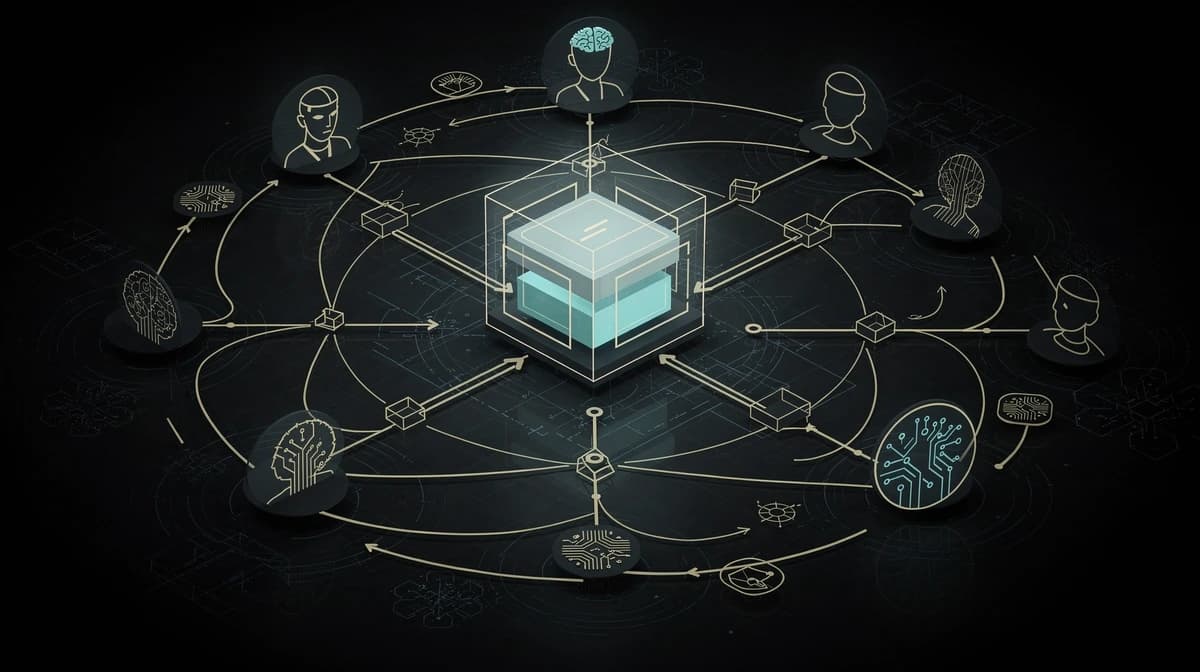
Every era of the web has gotten its discovery files. Files that sit in the background telling machines: "Here I am, this is what I can do." Most website operators know at least two of them. But very few know that a third one is emerging -- and that it might become the most important.
The Evolution of Discovery Files#
1994: robots.txt -- Tell the Crawlers What They May Do#
User-agent: *
Disallow: /admin/
Allow: /
Simple. Effective. robots.txt tells search engine crawlers which parts of a website they may index and which they shouldn't. No webmaster in 1994 thought this text file would ever become critical. Today, every serious website has one.
2005: sitemap.xml -- Show the Crawlers What Exists#
<urlset xmlns="http://www.sitemaps.org/schemas/sitemap/0.9">
  <url>
    <loc>https://example.com/</loc>
    <lastmod>2026-02-15</lastmod>
    <priority>1.0</priority>
  </url>
</urlset>
robots.txt says what crawlers shouldn't touch. sitemap.xml says what they should find. Together, they form the foundation of SEO. Google, Bing, and others read these files before they index a website.
2026: agents.json -- Tell AI Agents What You Can Do#
{
  "schema_version": "1.0",
  "name": "MyBusiness",
  "description": "What we do",
  "url": "https://example.com",
  "tools": [
    {
      "name": "get_services",
      "description": "Retrieve all available services",
      "endpoint": "/api/v1/services",
      "method": "GET",
      "parameters": {}
    }
  ]
}
agents.json goes one step further than robots.txt and sitemap.xml. It doesn't just say "here I am" or "this can be indexed." It says: "These are my capabilities. This is how you interact with me. Here are the endpoints. Here are the parameters."
That's the leap from passive discoverability to active interaction.
What Exactly Goes into an agents.json?#
An agents.json file lives at /.well-known/agents.json and consists of four main sections:
1. Meta Information#
{
  "schema_version": "1.0",
  "name": "StudioMeyer",
  "description": "Premium Web Design & Development Agency...",
  "url": "https://studiomeyer.io",
  "logo": "https://studiomeyer.io/icon.png",
  "contact": {
    "email": "hello@studiomeyer.io",
    "url": "https://studiomeyer.io/de/contact"
  }
}
Name, description, URL, contact. Nothing surprising. But important: this information is machine-readable. An AI agent doesn't have to guess who's behind the website.
2. Tools -- The Core#
This is where it gets interesting. Each tool describes a concrete capability:
{
  "name": "browse_portfolio",
  "description": "Browse the portfolio by industry, style, or technology.",
  "endpoint": "/api/v1/portfolio",
  "method": "GET",
  "parameters": {
    "industry": {
      "type": "string",
      "description": "Industry of the project",
      "enum": ["immobilien", "gastronomie", "handwerk", "technologie"]
    },
    "style": {
      "type": "string",
      "description": "Desired design style",
      "enum": ["premium", "minimalistisch", "modern", "klassisch"]
    }
  }
}
What the agent reads from this:
- Name:
browse_portfolio-- a machine-readable identifier - Description: What the tool does (in natural language, so the agent can decide if it needs it)
- Endpoint: Where the request goes (
/api/v1/portfolio) - Method: HTTP method (GET, POST, etc.)
- Parameters: What the agent can send, including type, description, and possible values
This is essentially API documentation -- but written so an AI agent can understand and use it without human help.
3. Capabilities#
{
  "capabilities": {
    "webmcp": true,
    "a2a": true,
    "a2aEndpoint": "/api/a2a",
    "languages": ["de", "en", "es"]
  }
}
This states what the website technically supports. WebMCP? A2A protocol? Which languages? An agent can pre-check whether the website is suitable for its request.
4. Interplay with agent-card.json#
Alongside agents.json, there's agent-card.json -- the counterpart for the A2A protocol (Agent-to-Agent). While agents.json describes the tools, agent-card.json describes the skills:
{
  "name": "StudioMeyer",
  "protocolVersion": "1.0",
  "skills": [
    {
      "id": "validate-webmcp",
      "name": "Validate Agent Discovery",
      "description": "Validate agents.json against WebMCP spec...",
      "tags": ["validation", "webmcp", "agents"],
      "examples": [
        "Validate agents.json for example.com",
        "Is my agents.json spec-compliant?"
      ]
    }
  ]
}
The difference: tools are technical (endpoint + parameters). Skills are semantic (what can I do for you?). Both together give an agent the full picture.
How an AI Agent Uses agents.json -- Step by Step#
Let's take a concrete scenario. A user asks their AI assistant:
"Find me a web design agency with experience in real estate websites, and get a quote for a 10-page website."
Without agents.json (Today's Standard)#
- Agent searches for "web design agency real estate"
- Finds websites, reads HTML
- Tries to determine from marketing copy whether real estate experience exists
- Maybe finds a contact form
- Can't request an automatic quote
- Tells the user: "I found a few agencies, here are the links"
Result: The user has to continue on their own. The agent was essentially a better search engine.
With agents.json#
- Agent finds a website with agents.json
- Reads the tool list:
browse_portfoliowithindustryfilter - Calls
/api/v1/portfolio?industry=immobilien - Gets structured data back: projects with screenshots, tech stack, results
- Reads the
request_quotetool and calls/api/v1/quotewith{projectType: "website", pages: "10"} - Gets a price estimate back
- Presents to the user: "StudioMeyer has 3 real estate projects in their portfolio. A 10-page website is approximately X euros. Shall I book a consultation?"
Result: The agent completed the task, not just researched it.
Real-World Example: StudioMeyer's agents.json#
StudioMeyer has implemented nine tools in its agents.json. Here's an overview of what an AI agent can do with them:
| Tool | What It Does | Method |
|---|---|---|
browse_portfolio | Filter portfolio by industry and style | GET |
request_quote | Price estimate for a web project | POST |
get_services | Retrieve all services and prices | GET |
schedule_consultation | Book a consultation appointment | POST |
get_case_study | Retrieve case studies by industry | GET |
validate_webmcp | Validate agents.json implementation | GET |
generate_agents_json | Generate agents.json for other businesses | POST |
get_api_docs | Retrieve API documentation | GET |
This isn't a theoretical concept. These endpoints exist, are live, and deliver real data. Does an agent automatically discover them today? In most cases, not yet. But when an agent calls studiomeyer.io/.well-known/agents.json, it gets everything it needs.
The Technical Implementation#
For developers: here's what the implementation looks like.
Serving the File#
agents.json is served as an API route or static file under /.well-known/agents.json. In Next.js, that looks like:
// app/api/well-known/agents-json/route.ts
export function GET() {
  const agentsJson = {
    schema_version: "1.0",
    name: "MyBusiness",
    tools: [/* ... */],
    capabilities: { webmcp: true }
  };

  return NextResponse.json(agentsJson, {
    headers: {
      "Cache-Control": "public, max-age=86400",
      "Access-Control-Allow-Origin": "*"
    }
  });
}
Important: CORS must be open. AI agents come from various origins. If the agents.json isn't publicly accessible, it's useless.
Building the Endpoints#
Each tool in agents.json points to a real API endpoint. These endpoints must:
- Return structured JSON (no HTML!)
- Accept documented parameters
- Provide meaningful error messages
- Work without authentication (at least for read access)
That's where the real effort lies: not the agents.json file itself, but the APIs behind it. If you already have an API, you just need the discovery file. If you don't, you need to build the endpoints first.
What agents.json Is NOT#
To avoid misunderstandings:
Not a replacement for SEO. agents.json doesn't replace robots.txt, sitemap.xml, or Schema.org markup. It complements them. SEO remains relevant for search engines. agents.json is for AI agents.
Not a security risk. agents.json only exposes what you choose to expose. No internal data, no admin functions. Only public endpoints.
Not a universal standard. As of today, there's no unified standard that all agents support. agents.json is a community proposal, A2A a Google-initiated protocol, WebMCP a W3C Community Group initiative. Convergence is coming, but it's not here yet.
Not a traffic guarantee. Just because you have agents.json doesn't mean AI agents will storm your website tomorrow. It's an investment in the future, not an instant traffic booster.
Who Should Implement agents.json?#
Not every website needs agents.json. Honestly: a personal blog or simple business card website gains little from it.
It makes sense for:
- Service providers with bookable services (consultants, agencies, doctors)
- E-commerce with product catalogs and APIs
- SaaS companies with documented APIs
- Restaurants with reservation systems
- Real estate with searchable property databases
- Any business that wants to generate inquiries online
Less relevant for:
- Pure content websites without interactive features
- Websites that communicate exclusively through forms
- Businesses without digital processes
Three Steps to Your Own agents.json#
Step 1: Take Inventory#
What information and actions does your website offer? List everything:
- What data could an agent retrieve? (Prices, portfolio, FAQ)
- What actions could an agent perform? (Book appointment, request quote)
- What existing APIs do you already have?
Step 2: Build or Extend APIs#
For each identified capability, you need an API endpoint that returns JSON. Start with the simplest ones:
/api/services-- List services/api/contact-- Accept contact inquiries/api/faq-- Answer frequently asked questions
Step 3: Create and Deploy agents.json#
Create the file at /.well-known/agents.json, list your tools, and make sure the endpoints work.
Or -- and this is the pragmatic approach -- have it generated. StudioMeyer offers exactly this: /api/v1/generate-agents-json takes your industry and business name and returns a ready-made agents.json.
Conclusion: The Next Discovery File Has Arrived#
robots.txt made websites visible to crawlers. sitemap.xml structured the content. agents.json makes websites interactive for AI agents.
The standard is young. Adoption is beginning. But the evolution is clear: websites that can speak to machines will have an advantage over those that can only be read by humans.
The good news: getting started is surprisingly easy. One JSON file, a few API endpoints, and your website speaks a new language. Not the language of search engines. But the language of AI agents.
And they'll have a lot to say in the coming years.
